
Online Forum To Support Coders With Technical Assistance - Read Write Execute

How to change php version in bluehost hosting

Ankit Agrawal
Ankit Agrawal
Published on May 3, 2019 · 1 min read

Bluehost is the one of the best web hosting company. It’s’ hosting over 2 million website all over the world.Bluehost is owned by Endurance International Group.


To change the php version in bluehost hosing please follow given guidelines.

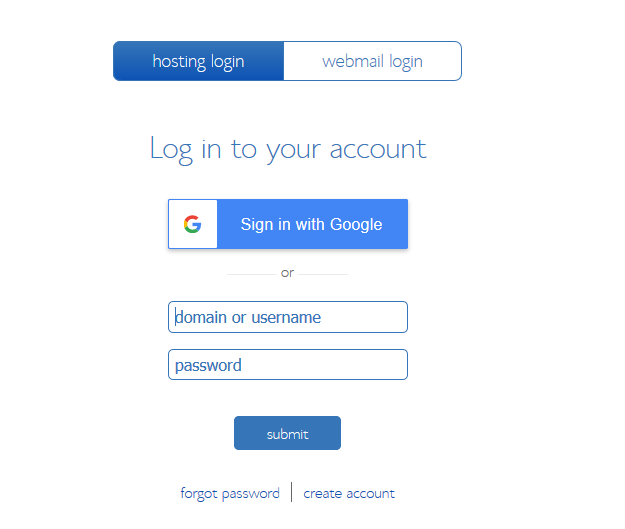
1 : Please login to your bluehost panel
Bluehost Hosting

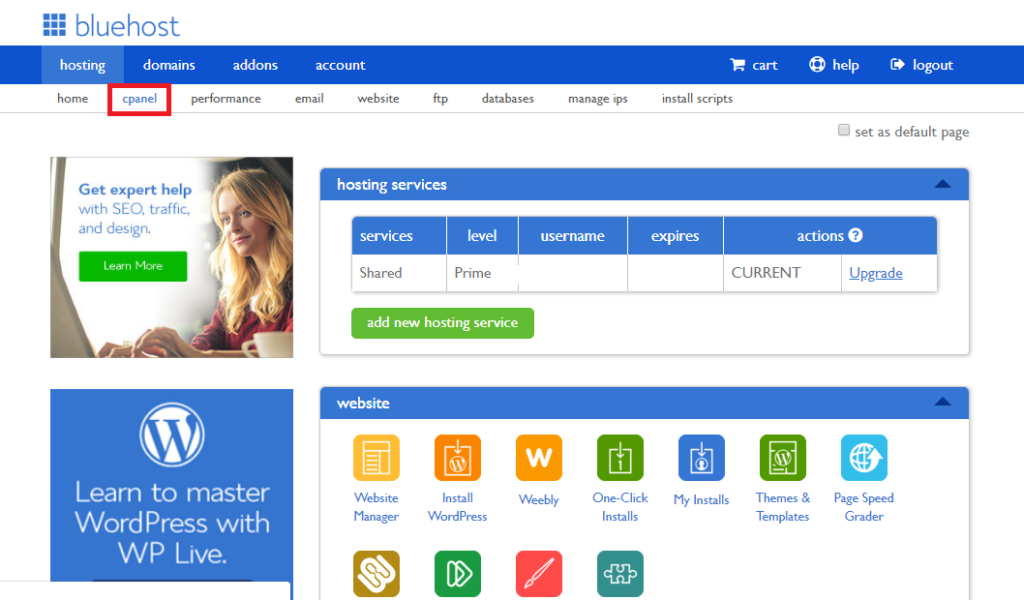
2 : After login please click on cpanel menu

Bluehost Hosting

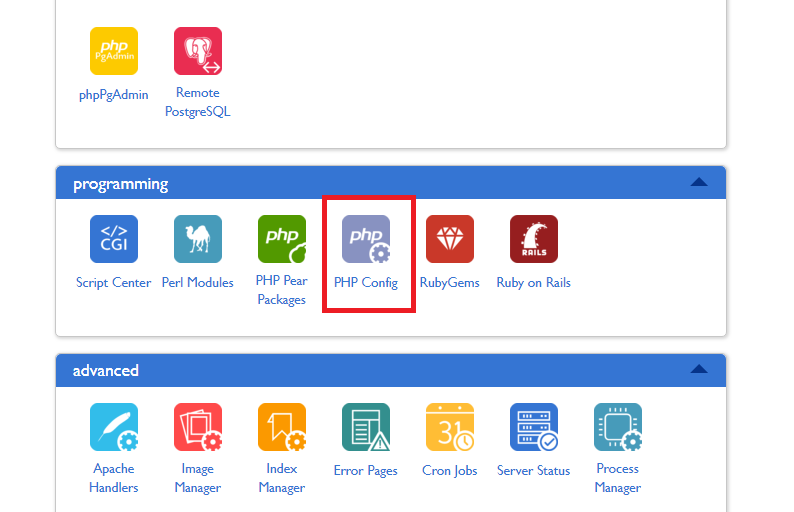
3 : Now go to the programming section and click on php config option
Bluehost Hosting

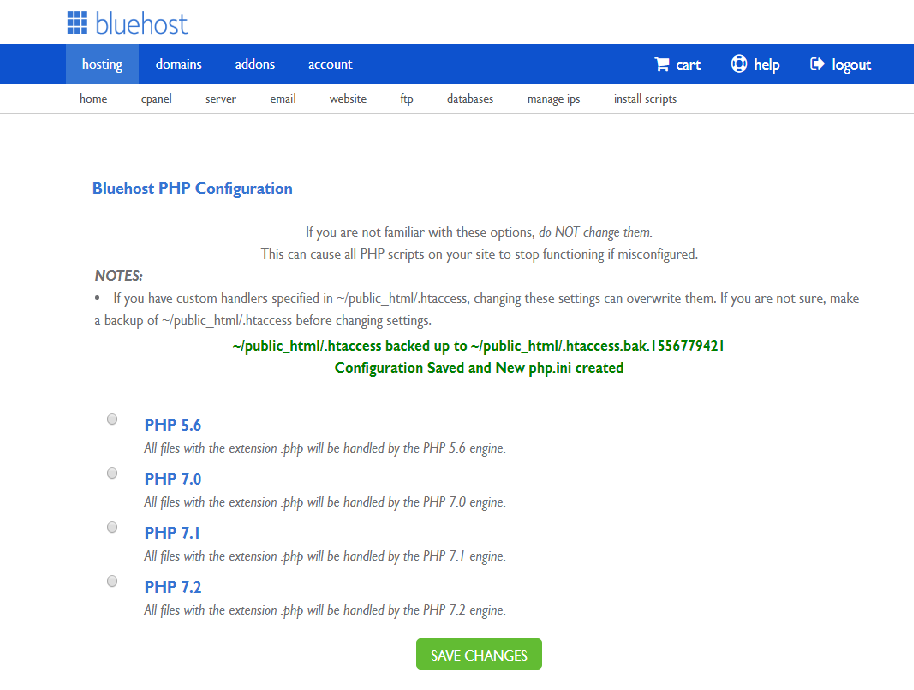
4 : Here you can find the current version and other php version to select.You can select desired version of php here
Bluehost Hosting


Was this article helpful?
Ankit Agrawal

Ankit Agrawal

Author & Senior Engineer at CodeExecute

Writing practical engineering guides, debugging real-world bottlenecks, and creating free tools for developer productivity.

← Previous Article Add product programmatically in woocommerce Next Article → How to comment code in liquid file in shopify
